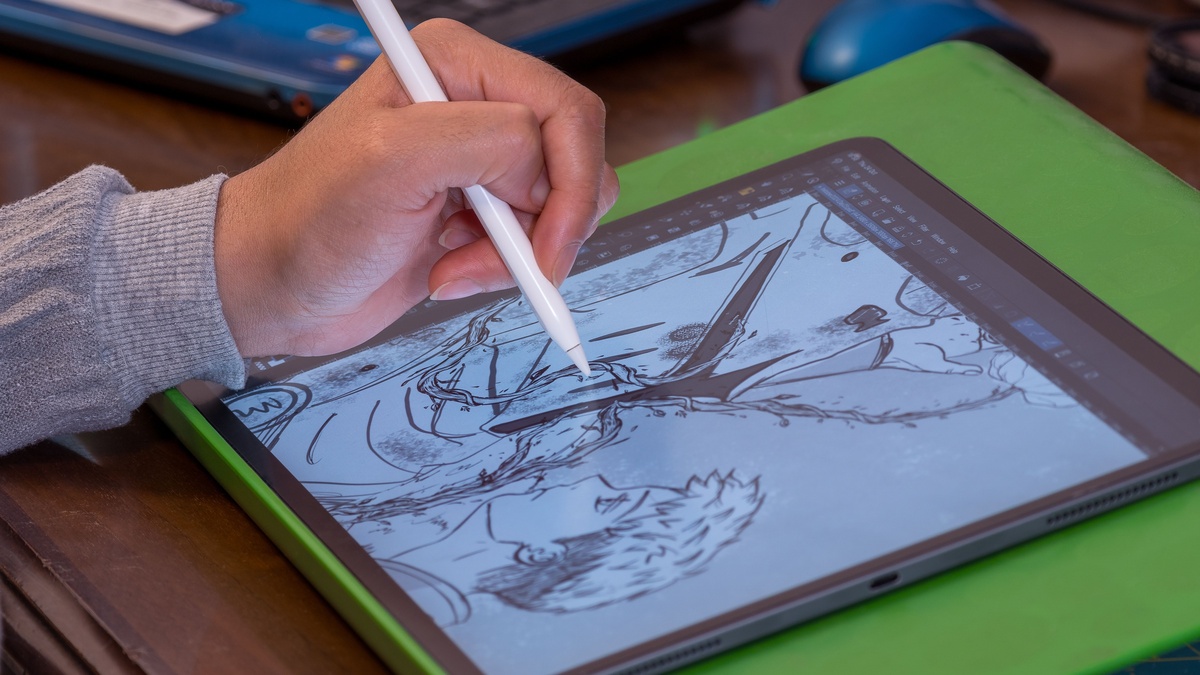

Picking the right iPad for manga, cartoons, or illustration work is important—features like display size, refresh rate, and stylus support all play a role in your creative flow. With Apple’s 2025 lineup now shipping the powerful M5 chip, there’s a big leap in speed and comfort for comic creation.
iPad Model Breakdown for Comic Artists (2025)
| Model | Display Size | Stylus Support | Refresh Rate | Processor | Storage | Price (USD) | Artist Pros & Cons |
|---|---|---|---|---|---|---|---|
| iPad Pro 13″ (M5) | 13-inch | Pencil Pro/Geo | 120Hz | M5 | 256GB–2TB | $1399–$2099 | Ultimate choice: huge OLED, up to 16GB RAM, industry-best color, 3.5x faster AI, ultra-thin body, works with all pro accessories. |
| iPad Pro 11″ (M5) | 11-inch | Pencil Pro/Geo | 120Hz | M5 | 256GB–2TB | $1099–$1799 | Portable pro: same screen speed, stellar color, easier to handle—great for travel sketching. |
| iPad Air 13″ (M3) | 13-inch | Pencil Pro/Geo | 60Hz | M3 | 128GB–512GB | $799–$1099 | Good panel size, reliable speed, not as punchy in color, no OLED. |
| iPad Air 11″ (M3) | 11-inch | Pencil Pro/Geo | 60Hz | M3 | 128GB–512GB | $599–$899 | Budget pick for smaller comics and doodles, lighter for all-day carrying. |
| iPad 11″ (A16) | 11-inch | Pencil (USB-C) | 60Hz | A16 | 128GB–256GB | $399–$599 | Beginner/secondary device, less vivid color and RAM, but reliable for basic work. |
| iPad mini 8.3″ (A15) | 8.3-inch | Pencil (USB-C) | 60Hz | A15 | 64GB–256GB | $499–$699 | Most portable for quick sketches, limited for multi-panel comics. |
So, Which One Should You Actually Buy?
- Serious artists, studios, and professionals:
The new iPad Pro 13-inch (M5) is unrivaled for creative work. Its tandem OLED display offers lifelike color and brightness, proven 120Hz refresh rate for instant pen response, and boosted AI and graphics performance (great for layer-heavy manga panels, big illustrations, and animation). - On the go or balancing price:
The 11-inch M5 Pro offers nearly all the perks in a more compact package. The Air is workable, more wallet-friendly, but skip it if color and pro-level speed matter to you.
Pros & Cons of Drawing Comics on iPad
Why It’s Awesome
- Best-in-class pen feel: Apple Pencil Pro or Geo Pencil deliver authentic paper-like stroke control—especially paired with new paper-feel screen protectors. M5 enables up to 3.5x faster AI for image generation and editing.
- App ecosystem: Procreate, Clip Studio Paint, Adobe Fresco—optimized and powerful for all comic genres.
- Mobility: Thin and light—even the massive 13″ model is under 650g and 5.1mm thick.
- Workflow: Massively improved multitasking with faster memory, storage, and AI masking in key apps.
Where It Falls Short
- Price: High for top end models, especially M5.
- Screen real estate: Smaller iPads limit multi-panel layouts and can tire hand/eyes.
- Extra gear is needed: A protective case, stand, and paper-like screen are vital to avoid fatigue and lost stylus.
- Software limitations: Certain desktop software still isn’t available.
Accessories That Make a Difference
- ESR Magnetic Paper-Feel Screen Protector:
Upgrades tactile feel, cuts glare, just snaps on for instant transformation—must-have for long drawing sessions and precision lines. - Geo Pencil with Find My:
Delivers professional sensitivity but crucially, lets you locate the stylus anywhere, minimizing risk of lost gear. - Keyboard Case or Stand:
Enhances comfort, speeds up text/bubble placement, ergonomic for long comic creation. - Cloud Storage:
Vital for backups and large project management.
Wrapping It Up
For comic and manga art, the iPad Pro M5 (13-inch) is the best tablet Apple has ever built for pros, hands-down. Any artist will instantly notice smoother drawing, richer color, and faster multitasking. If you don’t need the absolute best, the Air and regular iPad still work for sketching, doodling, and learning.
One final tip: invest in paper-feel protection, a tracking stylus, and a good stand or keyboard—you’ll have a portable comic studio that goes anywhere, and lets you focus on bringing stories to life as fast as you can imagine them.